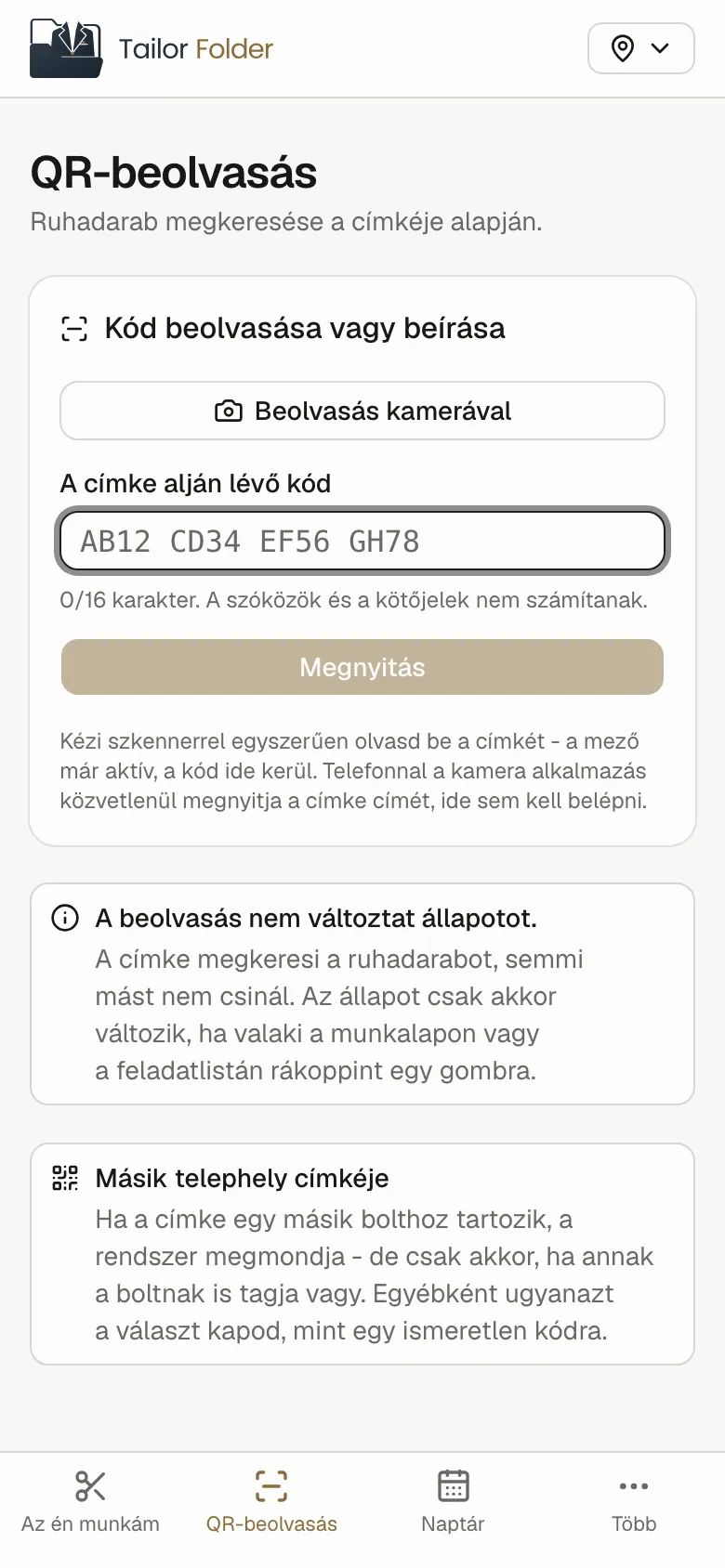
A QR tag on every garment
A Zebra label printer at the counter, or a PDF when there isn't one to hand. Label size belongs to the shop, so a tag reprinted elsewhere still comes out right.

Tailor shop management
Tailor Folder is the whole work order of a tailor shop: from the alteration taken at the counter, across the seamstress's bench, to the signed collection. One QR code on every garment, one truth across every shop.
Built behind the counter of a Budapest suit salon, and in daily use there.
The life of a work order
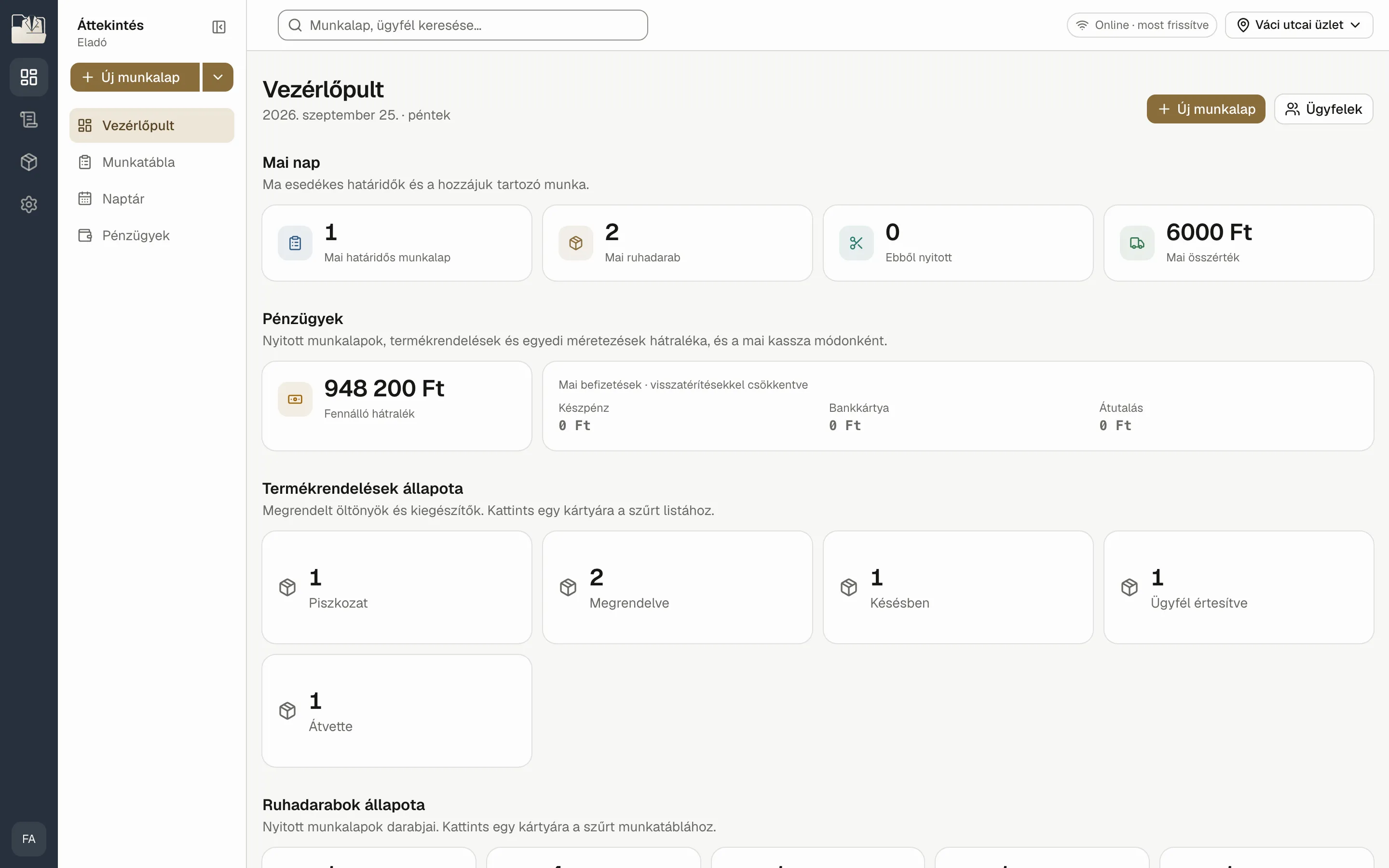
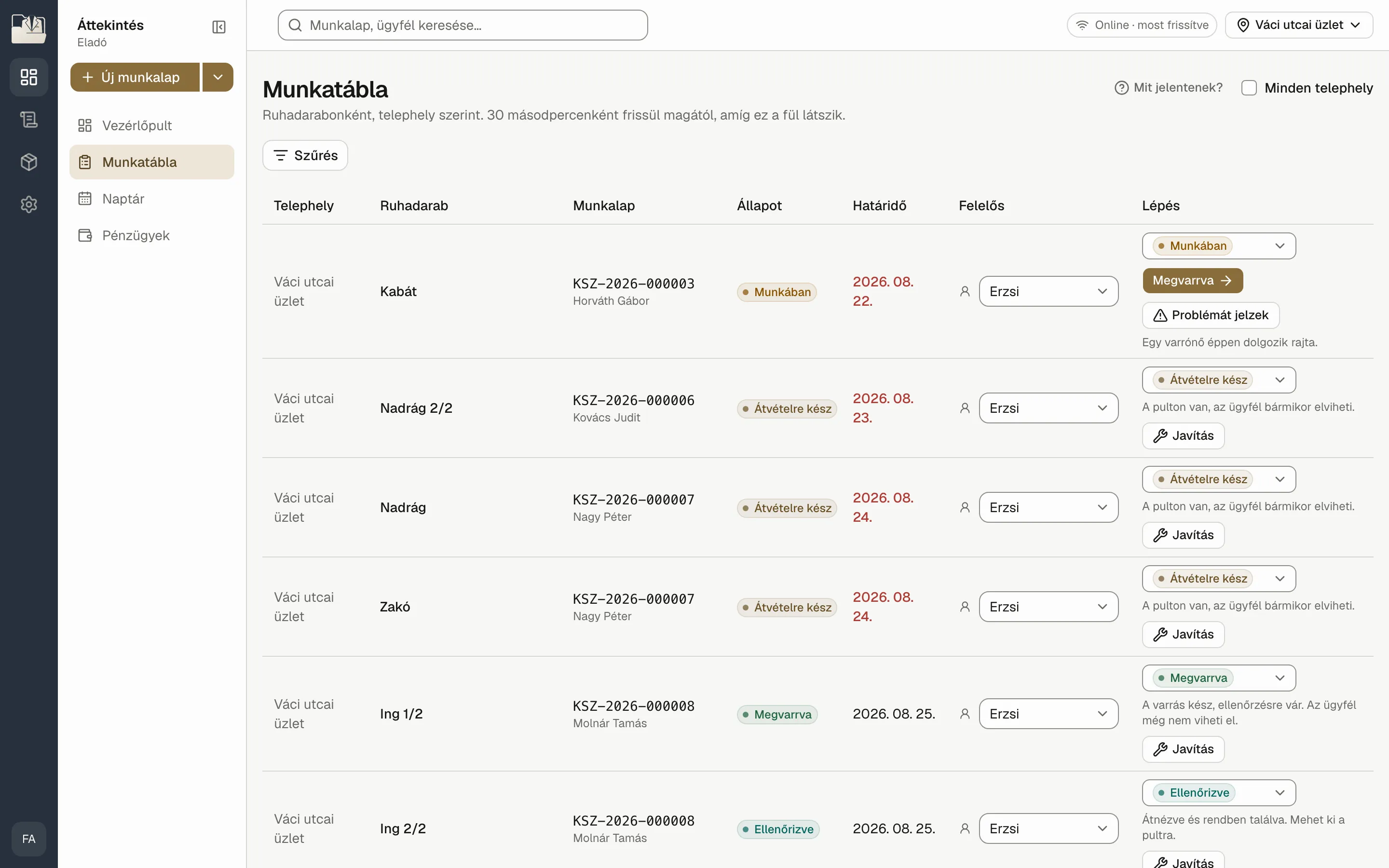
Every garment can be followed from the counter to the seamstress and back. Nobody has to keep in their head where a job has got to.
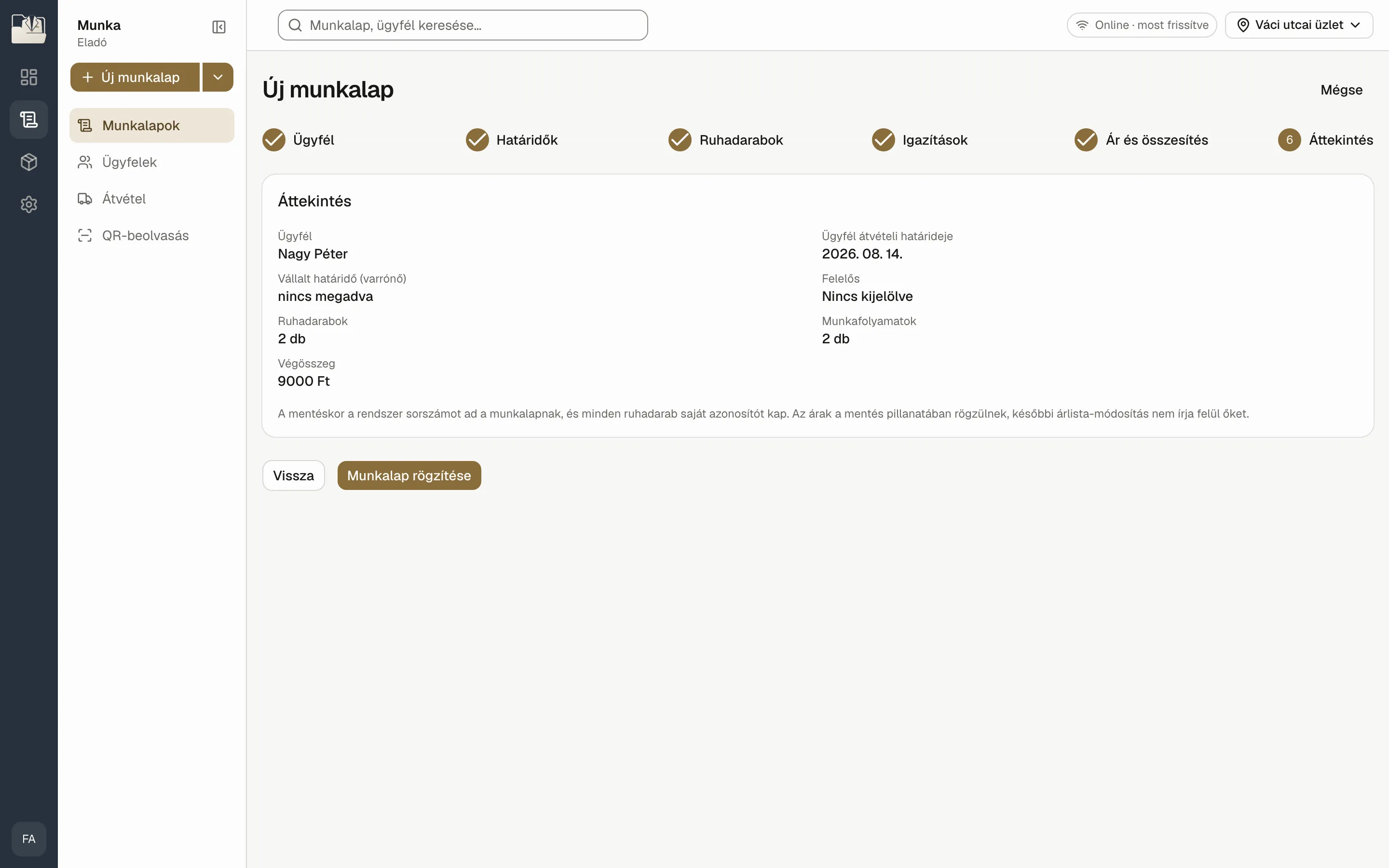
Customer, garments, alterations to the centimetre, priced from your own price list. The seamstress sees the workshop deadline; only the counter sees the date the customer was given.
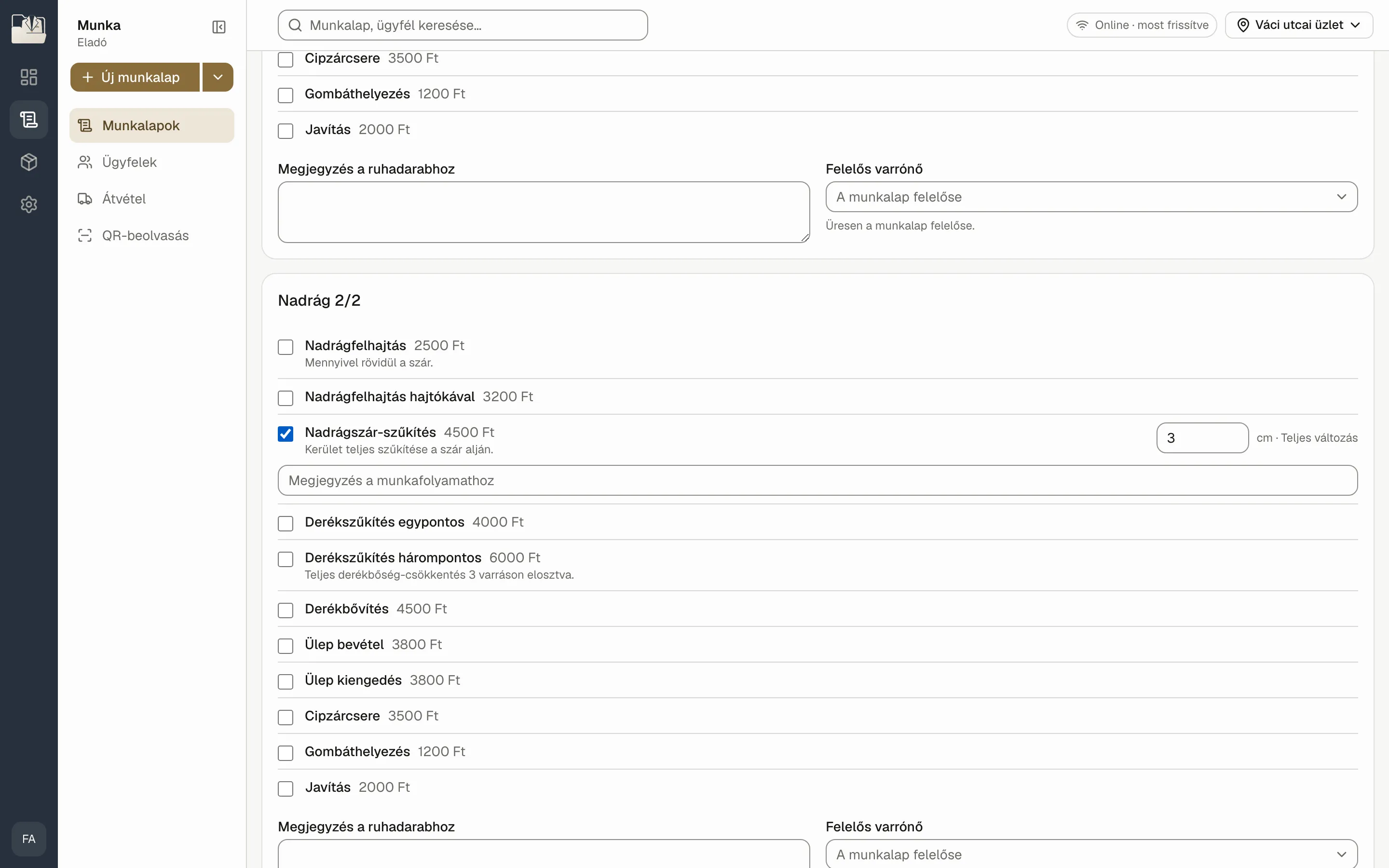
The customer signs on the tablet, and each consent is stored with its version. Every garment gets its own QR tag, from a Zebra label printer or as a PDF.
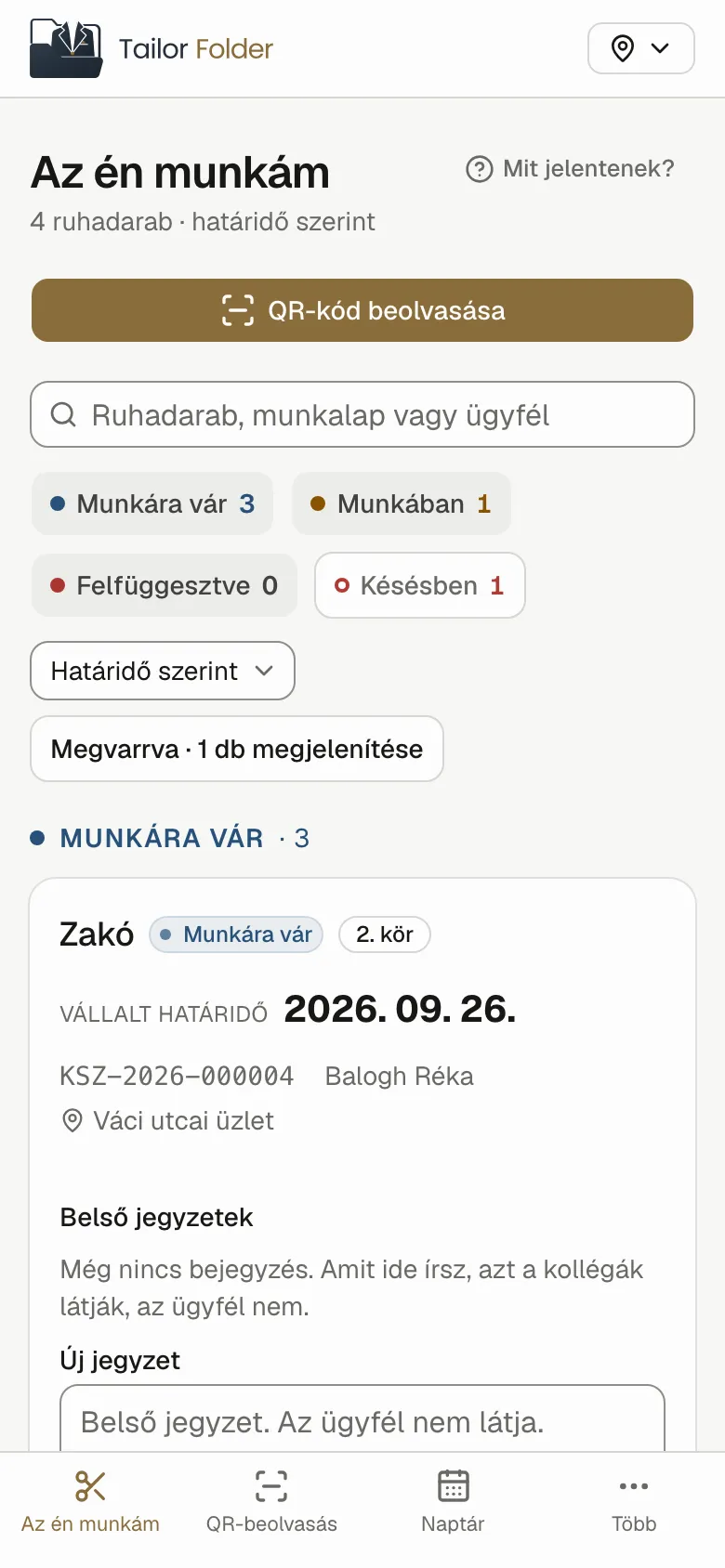
On a phone, sorted by deadline. Scan the tag, move the status on, attach a photo. No prices, no payments, no customer details, because none of them are needed to sew.
Scan at the counter, hand over garment by garment, take cash, card or transfer. The document goes to the customer as a PDF and the seamstress's fees add themselves up.
Roles
Not one shared spreadsheet that everyone can read everything from. Three views of the same work.
Takes the job, collects the signature, prints the tag and hands over the finished garment.
Sees her own bench, most urgent first. Scan, sew, move on.
Every shop on one screen: delays, takings, orders and settlements.
Features
A Zebra label printer at the counter, or a PDF when there isn't one to hand. Label size belongs to the shop, so a tag reprinted elsewhere still comes out right.
Terms, privacy notice, newsletter. Each is stored with its version number, and a checksum protects the document's contents.
The fee is fixed the moment the job is taken, so a later price change never rewrites work already done.
When a garment comes back, a new round opens. Redone work stays countable.
The counter sees its own shop. Your best seamstress can still work for all of them.
The work order PDF and a calendar entry leave in a single email.
Suits and accessories from the supplier, tracked by SKU. One visit, one balance.
Refreshes every thirty seconds. Delays turn red before the customer phones.
Data and security
The database and the files sit under EU jurisdiction, fixed when they were created and impossible to change afterwards.
An email link enrols the device, then a six-digit personal PIN at the counter.
You can always tell which version of which text the customer accepted, and when.
Every PDF states why it was produced, and a checksum ties it to the signed data.
Where it comes from
We did not bend a generic business tool to fit a tailor shop. We built it from the shop's own words.
Work order, garment, rework round, workshop deadline. Tailor Folder was born in Moda Pico Bello's Budapest shops, out of the daily practice of the counter and the workshop, and it runs there in production.
Moda Pico Bello · Budapest
FAQ
A browser. A computer or tablet at the counter, a phone for the seamstress. Nothing to install, apart from Zebra's own small utility on Windows for label printing.
Zebra thermal transfer label printers such as the GC420t. Without a printer, the tag is produced as a PDF sized to the label.
Yes. Each shop sees its own counter, management sees them together, and any shop's work can be assigned to any seamstress.
In the European Union. You remain the data controller, and you set the retention period in the settings.
Entering the price list and inviting your staff takes an afternoon. Training comes with an illustrated guide, in Hungarian for now.
The app is in Hungarian today, because it was built for Hungarian counters. If you would like to use it in another language, get in touch.
Demo
In a thirty-minute demo we take one alteration from the counter to collection, using your price list.